
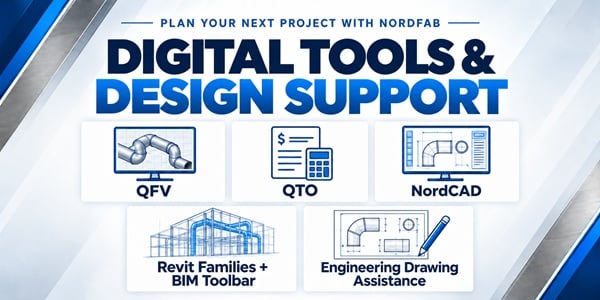
A ducting project can start with a rough sketch, a CAD drawing, or a coordinated building model. Nordfab offers design tools and engineering assistance to help dealers, engineers, and contractors develop that starting point into a clearer plan.
QFV: Visualize the ducting in 3D
Quick-Fit Visual® helps users create a three-dimensional ducting layout. Seeing the proposed routing makes it easier to review connections, explain the installation, and discuss changes before materials are ordered. For our dealers, a visual layout gives customers something concrete to review when discussing a proposal. It also helps everyone work from the same understanding of the proposed ductwork, making questions and revisions easier to address.
QTO: Prepare quotes and place orders
Quick Tick Online is Nordfab’s online quoting and ordering tool for Authorized Dealers. It helps dealers prepare ducting quotations and submit orders, supporting the commercial side of the project. Our dealers can handle routine quoting and ordering tasks in one place, making it easier to respond to customer requests. Keeping that work in a consistent process also helps simplify the transition from an accepted quote to an order.
NordCAD: Build a 2D ducting drawing
NordCAD allows CAD users to place two-dimensional illustrations of Nordfab Quick-Fit® and flanged ducting components into a drawing. Users can also export a bill of material for use in Nordfab’s quoting tool. For our dealers working with CAD drawings, ready-made components reduce the need to draw individual parts from scratch. Exporting the bill of material also reduces manual entry when preparing a quote and helps keep the quoted parts aligned with the drawing. Once completed your NordCAD data can be imported into QTO to begin your quote.
Revit Families + BIM Toolbar: Work within the project model
Nordfab’s Revit families allow designers to incorporate Nordfab components into their models. The BIM Toolbar provides direct access to the component library within Revit, reducing time spent searching for and managing separate files. Our dealers can direct customers’ design teams to these resources to help them include Nordfab ducting during project planning. Using the same manufacturer components gives dealers and designers a clearer reference when discussing product requirements and layout changes.
Engineering Drawing Assistance: Get help with your layout
You don’t have to work through the drawing alone. Nordfab’s Application Engineering team can assist with ducting layouts and product questions, working with you and your Authorized Dealer as the project develops. This gives our dealers additional support when a project requires help beyond their own drawing resources. Working through layout and component questions together helps dealers prepare clearer proposals and keep customer projects moving.
Whether you need to explain a proposed layout, prepare a quotation, or incorporate ducting into a larger model, these resources give you practical ways to move the project forward.
Contact our Application Engineering team to assist with your next project design.